Plan and Build mode
In the chat composer you choose between two modes:
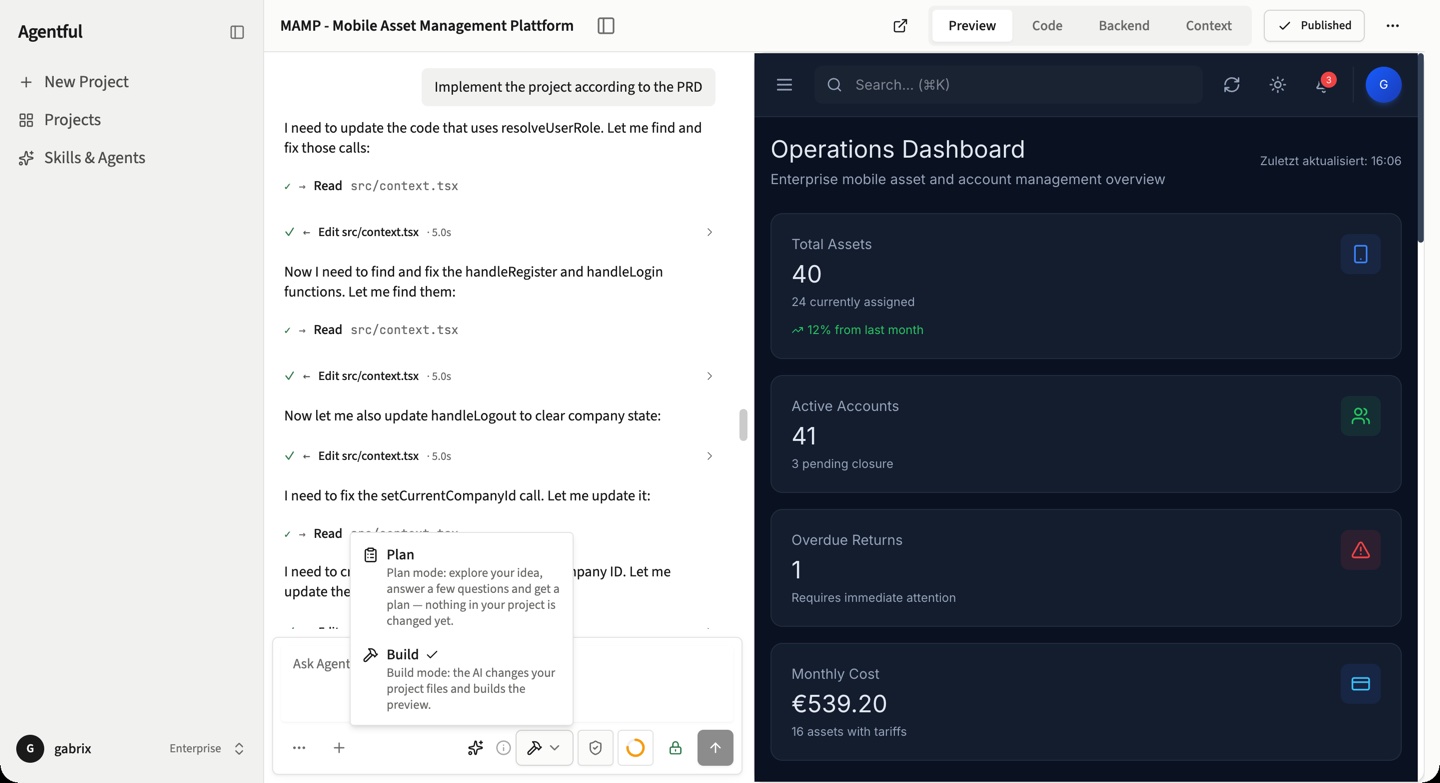
Plan mode
Agentful does not build yet — it thinks ahead with you: it asks targeted clarifying questions (content, style, features), turns the answers into a clear plan, and shows it to you for review. Nothing is built until you click Create your app — until then you can refine the plan in the chat as much as you like.
New projects start in Plan mode automatically. It is worth it whenever the scope is unclear or a bigger feature is coming up: you see what will be built before credits go into the build.
Build mode
Agentful implements your message directly — no question round. Ideal for concrete, small tasks: “change the headline”, “make the buttons rounder”, “fix the form error”.
Switching between modes
The toggle sits next to the model selector in the composer. Your choice is remembered per project. After a completed plan, Agentful offers the hand-off automatically: Create your app starts the build, Refine plan stays in planning.